All work

Case studyKFTC2022

No Card, No Queue: Coffee Paid by Biometrics, Billed to Payroll

TL;DR

A biometric payment system that runs without a card network, shipped in one month with zero false charges.

  • Cardless biometric payment shipped in 1 month, not the 24–36 month card-network path.
  • Trust-by-design guardrails: separated biometric ↔ payroll DBs, verification on every charge, consent from day one
  • 99.9% authentication accuracy · 0 false charges · 1,270+ productivity hrs recovered annually
  • Built under Korean PIPA: biometric data never left the building
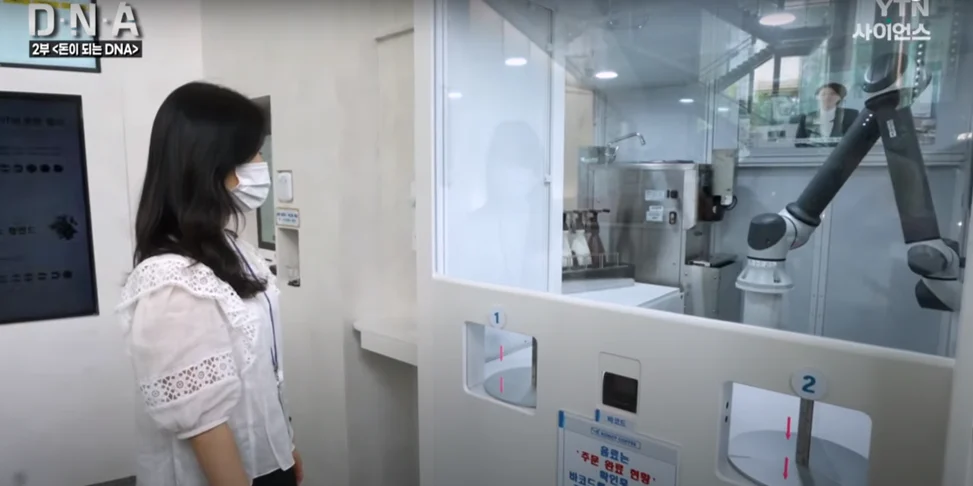
  • Featured in YTN Science, Korean documentary
the cafeteria kiosk
Role
Product manager, from discovery to launch
Team
Me, a designer and 3 engineers
Timeline
5 months, April to August 2022, with 1 month to build
Users
About 200 regular cafeteria users in a 500-person office
Adoption
65% enrolled within 3 months
Accuracy
99.9%, with zero false charges
Press
YTN Science, November 2022

01The problem

Employees kept leaving their cards at their desks.

KFTC, Korea's national payments and clearing institute, ran a robotic cafeteria in its 500-person office, and it took only a physical card. Employees used to paying by phone left their cards behind about 30 times a day, and each trip back cost about 15 minutes: 7.5 hours of work lost every day.

I watched the cafeteria at its 3 to 4 pm peak for 5 days and interviewed 5 employees. They were comfortable with palm vein, the Korean banking standard, and with face unlock, but 3 of the 5 worried about being charged by mistake.

02What I decided

The charge goes to payroll.

Five card companies told us that linking biometrics to the card network would take 2 to 3 years and policy changes neither side controlled. Payroll already handled staff discounts, and employees already trusted it with their pay. So a verified charge is deducted from the monthly wage, a path we built in 1 month.

  1. 1

    Two databases, one employee ID

    The biometric database stays apart from payroll, on premises. Only the employee ID crosses, so a breach in one cannot reach the other.

  2. 2

    A check before every charge

    The screen shows the employee's name, the item and the amount before anything is charged.

  3. 3

    Opt-in only

    Enrollment is a choice with an easy way out, and inactive enrollments are deleted after 30 days.

  4. 4

    Accuracy set for money

    The false acceptance threshold was tuned for payments, where one wrong charge costs trust in the whole system.

03How it works

One scan at the kiosk, one line on the payslip.

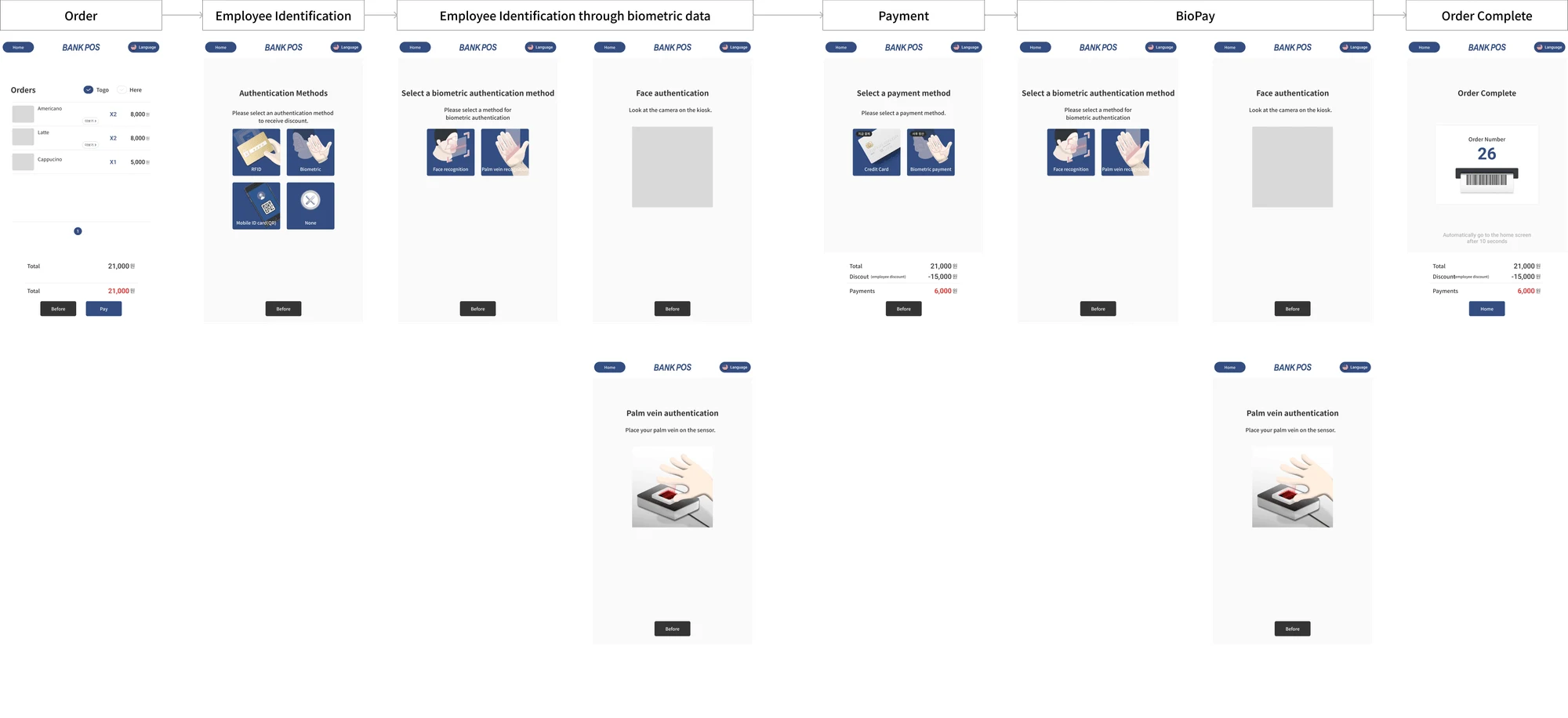
Employees enroll a palm and a face once, in about 3 minutes. At the kiosk they scan either one, check their name, item and amount, and the charge comes out of that month's pay.

biometric pay demo
BIOMETRIC · ON PREMISESPAYROLLKioskpalm or face scanBiometric databasepalm and face templatesEmployee confirmsname, item and amountPayrollmonthly deductionscanemployee ID onlycharge
The kiosk's screens in order: the order, choosing palm or face to identify the employee, the face or palm-vein scan, choosing biometric payment, and the order number
The kiosk's screens: order, identify by palm or face, pay by biometrics, and collect the order number.

04Looking back

What I would do differently.

  1. 1

    Bring security in from the start

    Security was thought through, but late. Settling storage, encryption and data mapping with security operations at the start would have been cheaper, while those choices were still easy to change.

  2. 2

    Place the reader for every hand

    We put the palm reader on the right, for the 85% of employees who are right-handed, and considered left-handed employees and employees with disabilities only after launch. I would audit accessibility during design.

More work

Sign-in and authorization for 60+ financial institutions, a palm-vein ID for 14 airports, and AI in research budgeting.

All work