Featured project · 2026·UW HCDE Capstone·Jan–Jun 2026

Trustworthy AI for Research Budgets

Integrating AI inside the university's research administration system. Deciding what the AI is for, how AI automates, and where humans make the final call.

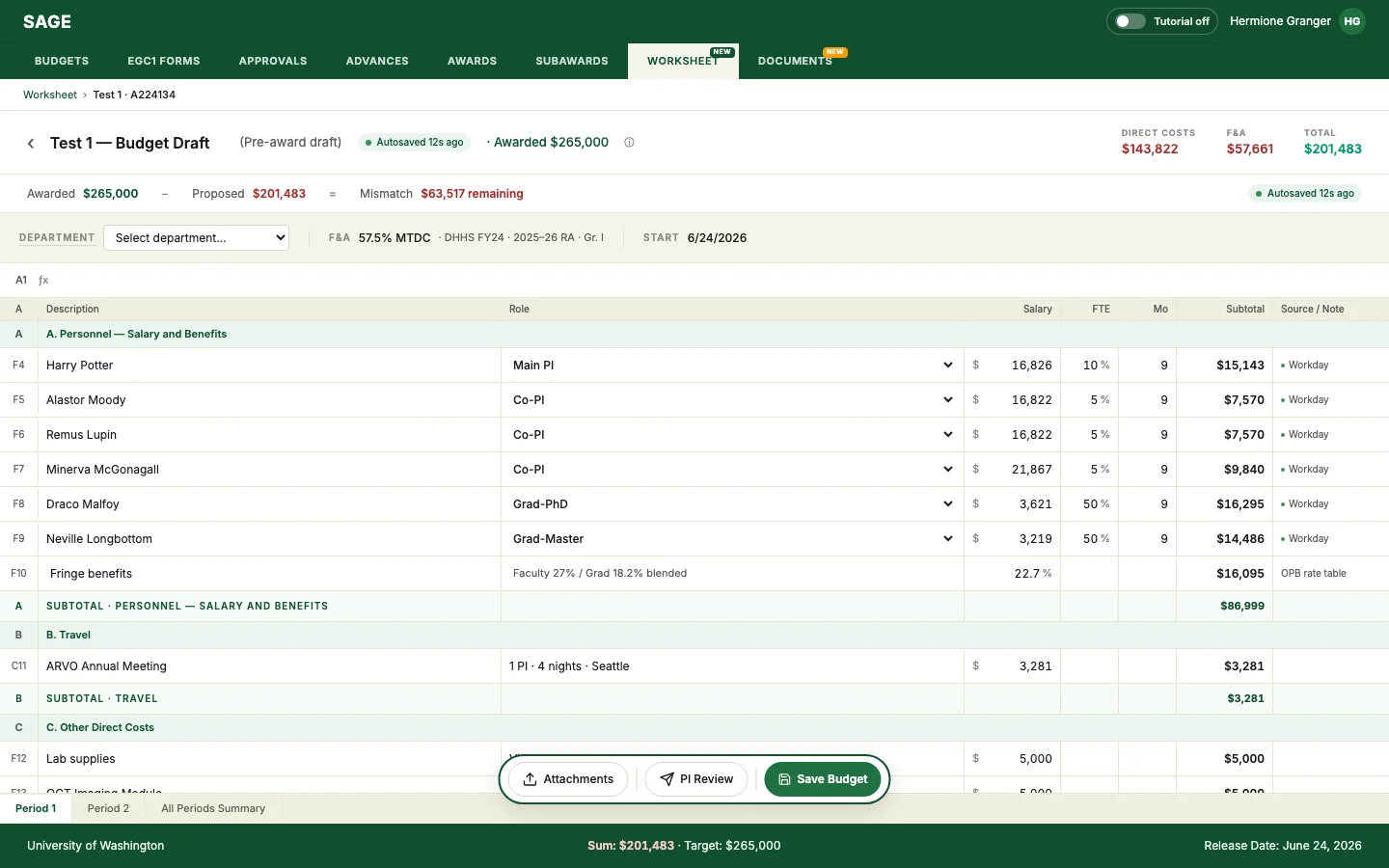
The SAGE worksheet — a research budget built inside SAGE, with AI-filled cells, confidence chips, and source labels

Timeline

Jan–Jun 2026 · UW HCDE Capstone

My Role

Product Manager & UX Research Lead

Team

1 PM, 1 UXR, 2 Designers

Sponsor

UW Office of Research Information Services (ORIS), which owns SAGE

TL;DR

Problem

A grant manager carries ~50 awards (up to 75+ at peak) and builds each budget twice: once in Excel, once by hand in SAGE, across 8+ disconnected systems, ~2–3 hrs of copying per award. This is not a tooling problem but a coordination gap.

Strategy

Embedded the worksheet inside SAGE and put AI only on the in-between work, gated by AI vs. Human boundary.

Impact

  • 2+ hrs saved per award
  • 25–33% workload cut (projected 75–150 hrs/GM/yr)
  • Proved trustworthy AI in a high-stakes workflow

Problem solved

01. The work between the systems had become the work.

A UW grant manager carries ~50 active awards, up to 75+ at peak, and rebuilds each budget twice: ~2–3 hours of hand-copying across 8+ disconnected systems before the work only they can do (rates, exceptions, compliance, sign-off) even begins.

  • ~50 active awards per GM on average, up to 75+ at peak
  • 8+ disconnected surfaces per award: the NOA PDF, Excel, 5–6 rate sites, Workday, SAGE
  • ~2–3 hours of hand-copying per award, before any judgment work begins
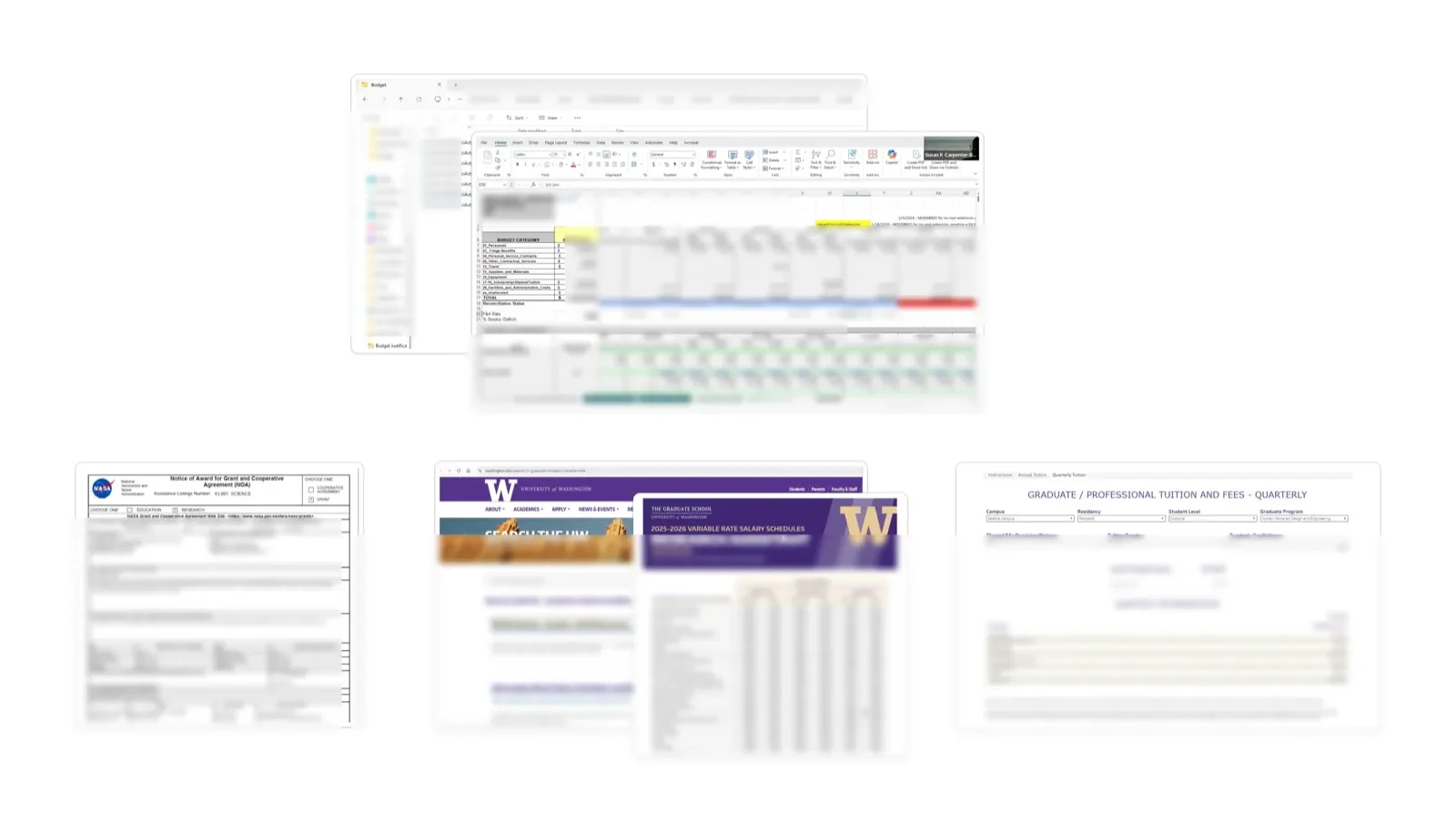
The scattered sources a grant manager juggles per award: file folders, an Excel budget, the Notice of Award PDF, and UW rate websites
Eight-plus disconnected surfaces per award: folders, Excel, the Notice of Award, and UW rate sites, each re-keyed by hand.

How I validated

02. One pattern recurred in all six interviews.

Ran 6 contextual inquiries with grant managers across 6 departments (67+ combined years, 200+ active awards), watching real work (which systems they open, how many tabs stay up, where they copy and paste) over asking them to describe it.

“GMs build every budget twice.”

Built once in Excel for the proposal, again in the portal after the award.

6/6 used Excel as a playground system · 5/6 did manual rate lookups across scattered sources.

The decision that mattered

03. Reframed what the internal admin platform is for.

University of Washington treated SAGE, the admin system, as a system of record, somewhere to store and verify finished budgets. We reframed it as a system of work: the surface where the budget actually gets built. That shift is what makes “bring the worksheet inside SAGE” a structural fix for double-entry, not just a new feature.

✗ rejected · standalone tool

Instead of introducing a standalone tool, I integrated into the existing user experience, to minimize friction while improving efficiency.

✓ selected · worksheet inside SAGE

  • Embed the worksheet in SAGE; put AI only on the in-between work.
  • Respected GMs' existing Excel-based workflow, using their mental models and minimizing re-training.

✓ selected · AI-powered budgeting with manual adjustment

AI fills the routine lines and does the math; the GM reviews and adjusts before anything is saved. Rates and dollar/percent math run on fixed rules, not AI guesses, and every AI-filled value links to its source so it can be checked.

What the AI is for, and where it stops

Use AI herethe routine in-between work
  • Reads the document and websites
  • Auto-fills budget data from the worksheet into the admin system
  • Flags mismatches to review, each linked back to its source
Keep humans herewhere the decision must stay human
  • Reviewing and adjusting every AI-filled value
  • The final call for budget submission

How I built · trust by design

04. Made the AI's work easy to check.

Trust fails two ways: distrust the AI and re-key everything by hand, or accept a wrong number without accountability. AI is here not to replace their expertise, but to assist users to make the smart decisions efficiently and effectively.

  • AI assists, the human decides.

    The GM keeps every final call: review, sign-off, and submit. AI never commits anything on its own.

  • Turned trust guidelines into real UI.

    Applied Microsoft HAX, Google PAIR, and the University of Idaho's AI4RA framework as concrete parts: confidence chips, a source label on every value, and a preview before anything saves.

  • Kept drafting and checking apart.

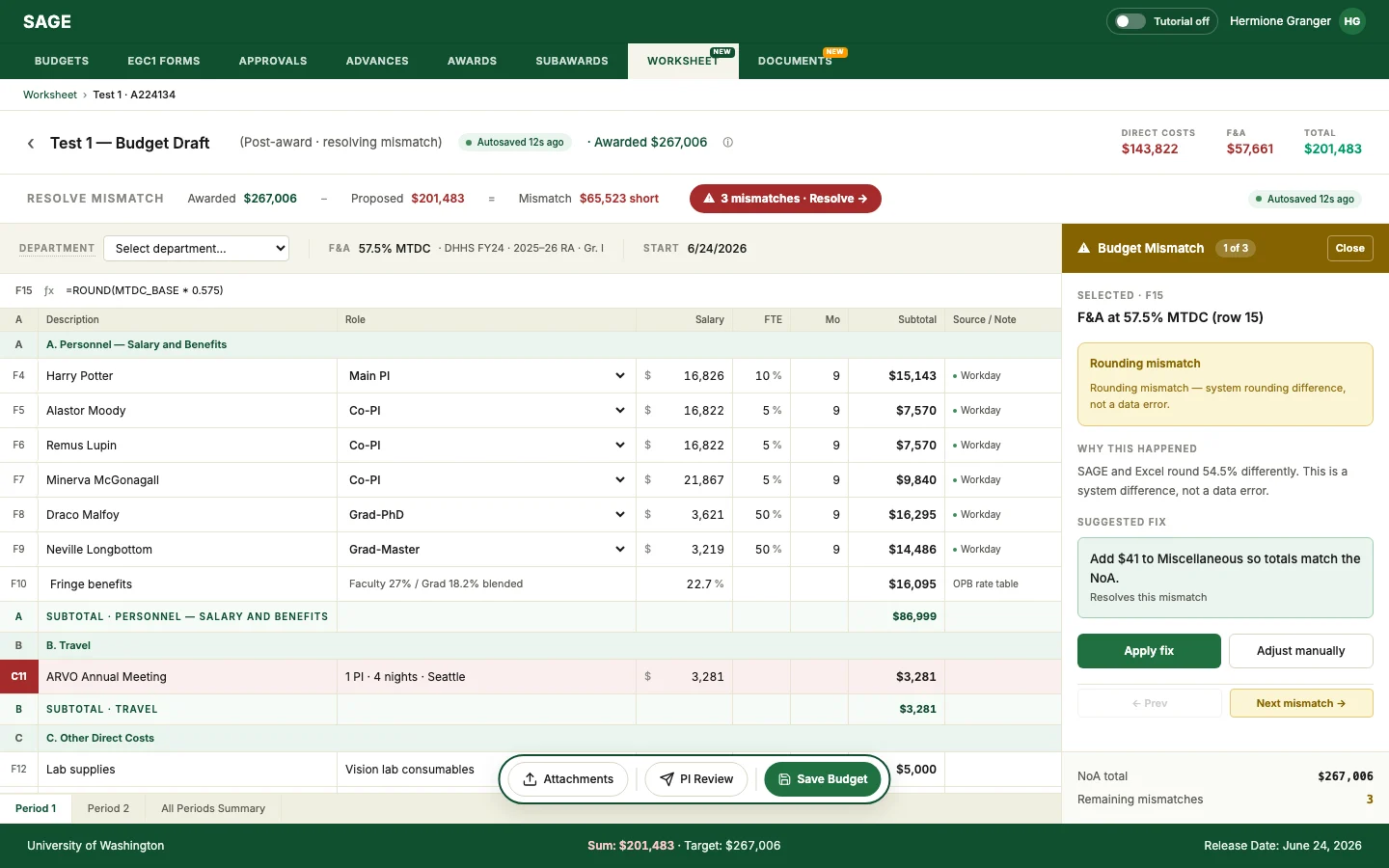
    You build in the worksheet; you resolve mismatches in reconciliation. Every AI fix is shown and confirmed.

A
Description
Role / basis
Amount
F4
Harry Potter
Main PI · 10% effort
$16,826High confidence

SourceWorkday

“Annual salary 201,912 USD, appointment 0.10 FTE, 9-month basis.”

Matches the source. Safe to accept at a glance.
F10
Fringe benefits
Faculty blended rate
22.7%Medium confidence

SourceOPB rate table

“FY25 faculty blended fringe rate, effective 07/01/2024.”

⚠ Confirm if the rate's effective date is older than 6 months.

One thing to check first. Confirm the effective date, then accept or edit.
C11
ARVO Annual Meeting
1 PI · 4 nights · Seattle
$3,281Low confidence

Estimated fromsimilar past budgets

“Averaged across 3 prior ARVO trips (2021–2024).”

⚠ Verify before accepting; not from a system of record.

Not from a system of record. Verify the figure; edit is the likely path.

▲ hover, tap, or tab to a green-underlined value

Resolve-mismatch view, a typed budget mismatch surfaced with a one-click, preview-then-confirm fix
The accountability moment: a typed mismatch with a preview-then-confirm fix

Before & after

05. One workspace. Zero round-trips.

Scattered tools get absorbed into SAGE: Excel, the NOA PDF, and the rate websites now live inside one surface. Plays on its own when it scrolls into view; hit ↻ Replay to watch again.

4+ round-trips · several hours by hand

The same work, before and after

Before and after: the current multi-system budgeting workflow — build in Excel, submit, then resolve mismatches with repeated round-trips — versus the same work with the worksheet embedded in SAGE, where AI auto-fills and pre-populates and the grant manager verifies in one screen

Impact delivered

06. What it moved.

Validated in moderated usability sessions with grant managers.

To user
75–150hrs / GM / yr

Reclaimed per grant manager

projected · 2+ hrs/award × award volume

To user
25–33%

Workload cut

estimated across ~50 concurrent awards (P1)

To business
4+ → 1

Round-trips per budget

time-to-submission: several hrs → ≤30 min

To business
3,000+hrs / yr

Returned org-wide

across UW's 1,000+ active grants, at ≤30 min/project

Video

SAGE Video Prototype, 4K, on YouTube

The concept film frames the scale: UW runs 1,000+ active research grants, with grant managers tracking 75+ projects each at 2 to 3 hours per budget. Trustworthy AI for Research Budgets cuts that to under 30 minutes per project, returning 3,000+ hours a year across UW's research portfolio.

Key takeaway

The hardest part of integrating AI isn't the model performance. It's narrowing what the AI is for.

Responsible AI isn't choosing the best model. It's the narrowing of what the AI is for, and calibrating trust so people catch the AI's mistakes without second-guessing what it gets right. We need to decide where AI meets human decision.

Keep exploring

You just viewed: Trustworthy AI for Research Budgets